Why do veteran webmasters choose GreenGeeks? Insights on three core pillars: support, stability, and security
I’ve learned a lot of hard lessons while building websites over the years.
Gazelle.com – Buy Smart. Sell Easy.
Trade in your old phone, tablet, or laptop at Gazelle.com and get instant cash offers.
Or shop certified pre-owned devices that look and work like new — all fully tested and guaranteed.
Simple. Secure. Sustainable.
When I first started blogging, I thought price was the most important factor for hosting. Later, as I moved into SEO-focused sites and cross-border e-commerce, I realized that what truly impacts long-term operations isn’t saving a few dollars a month, but rather security, stability, and customer support.
After all, if something goes wrong with the site, the resulting losses far outweigh the cost of hosting.
I’ve dealt with it all: malware injections, database corruption, “White Screen of Death” errors caused by plugin updates, and even server issues that rendered my site inaccessible. The worst part wasn’t the problem itself, but being unable to reach anyone for help when I needed it most.
Having been through those experiences, I now prioritize three factors when choosing a host: security, stability, and support. GreenGeeks has impressed me deeply in all three areas.
Many people know GreenGeeks for its eco-friendly philosophy. However, in my view, its most underrated strengths are actually its security infrastructure and technical support capabilities.
The biggest risk to a website isn’t traffic—it’s security
Many beginners focus on speed and price when building a site. In reality, security becomes the true challenge once the site starts attracting traffic.
I remember running a WordPress site where a vulnerability in a third-party plugin led to a malicious scanning attack in the middle of the night. I woke up the next day to find the site down, the database corrupted, and the admin dashboard inaccessible. Search engines were even flagging the site as risky.
That was when I truly realized that website security isn’t optional—it’s a fundamental part of the infrastructure. Later, I learned from industry data that tens of thousands of websites are attacked every day.
For personal blogs, corporate sites, and independent e-commerce stores, many attacks aren’t even targeted at a specific site; they are automated, bulk scans. If a vulnerability is found, the attackers attempt to breach the system.
Therefore, a good hosting platform must offer proactive protection rather than just reacting after a disaster strikes. This is one of the reasons GreenGeeks gives me such peace of mind.
Security features were my top priority when I first used GreenGeeks
When I initially migrated my site to GreenGeeks, I didn’t look at the price first—I examined their security architecture.
That’s because I had already experienced what it’s like to have a site come under attack. My first impression of GreenGeeks was that they include many security features as standard—features that usually require extra purchases elsewhere.
Unlike some hosting platforms where basic plans offer nothing but the server itself—forcing you to pay extra for every security service—GreenGeeks has security configurations ready to go right out of the box. This is crucial for beginners who aren’t well-versed in server management.
Enterprise-grade firewalls and real-time monitoring ensure your site is always guarded
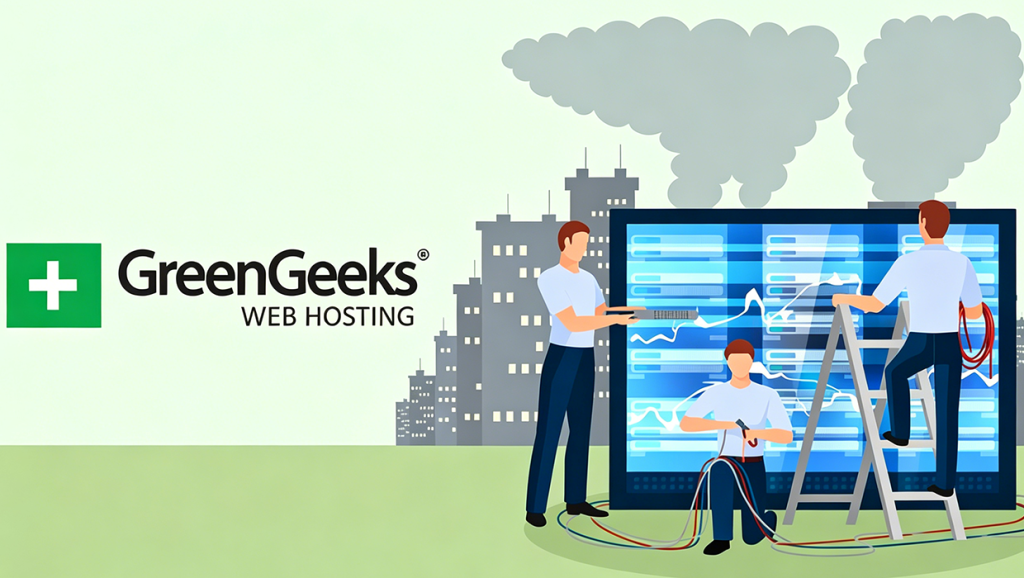
One thing I really appreciate about GreenGeeks is its round-the-clock monitoring system.
Once a site goes live, it isn’t just left to fend for itself; the system continuously monitors for abnormal traffic and malicious activity. Whether it’s brute-force login attempts, SQL injection attacks, or traffic-based threats, the system proactively identifies and blocks them.
I once noticed a massive spike in login attempts in my site logs over a short period. On previous hosting platforms, I would have had to manually install security plugins and configure rules to handle this. With GreenGeeks, however, the system had already dealt with the activity.
I hadn’t even noticed it happening. It felt like having a security guard stationed at the office door—blocking many risks before they could even become a problem.
Free SSL and automatic updates—far more important than you might think
I used to overlook SSL when building websites, only to realize later that HTTPS isn’t just about displaying a little padlock icon; it directly impacts site security and search engine trust.
GreenGeeks provides free SSL by default. The installation is fully automated—no need to manually request certificates or handle renewals yourself.
Furthermore, system and PHP environment updates are timely. Many websites get hacked not because the attackers are exceptionally skilled, but because administrators fail to update their software, leaving vulnerabilities exposed.
GreenGeeks proactively maintains the server environment, resolving many potential risks before they become issues. For someone like me managing multiple sites, this saves a huge amount of maintenance time.
Automatic backups are one of my favorite features
If I had to pick the single most useful feature, it would be automatic backups.
That’s because I’ve actually needed them. Once, a conflict occurred while updating a WordPress plugin, causing the site to go blank (the “White Screen of Death”) and locking me out of the backend. In the past, I might have had to manually restore the database or even redeploy the entire site.
But because GreenGeeks provides daily automatic backups, I simply restored the data from the previous day. The site was back online within minutes, and visitors barely noticed a thing. Since then, I’ve increasingly realized that backups aren’t just valuable after something goes wrong; it’s only when a problem arises that you truly appreciate their importance.
Container isolation technology ensures that other people’s problems don’t affect you
Shared hosting has long suffered from the “neighbor effect.” Simply put, if another website on the same server gets attacked, your site could be caught in the crossfire. This is a common issue with many low-cost hosting providers.
GreenGeeks employs container isolation technology, meaning each website’s resources run independently. Even if other sites encounter issues, your data and operating environment remain unaffected. While this isn’t something you notice in day-to-day operations, it is absolutely critical for business websites and cross-border projects.
What really made me stay, however, was GreenGeeks’ after-sales service
No matter how robust a security system is, it’s impossible to prevent every single issue. That’s why after-sales support is equally important. Having used many overseas hosting providers, I found the customer service experience at GreenGeeks to be among the best.
I first contacted support in the middle of the night due to a caching issue following a site migration. I expected to wait until the next day, but I received a reply less than a minute after opening the live chat window. The entire issue was resolved in just over ten minutes—something that really surprised me.
Many overseas hosts advertise 24/7 service, but their actual response times can be slow. GreenGeeks, on the other hand, truly has staff online and ready to help at any time.
A support system that is especially friendly to beginners
Beyond live chat, GreenGeeks offers a wealth of illustrated tutorials and a comprehensive knowledge base. You can often find solutions by simply searching, without ever needing to contact customer service.
It’s incredibly user-friendly for those new to WordPress. The tutorials are detailed and accessible, unlike some official documentation that seems written solely for technical experts.
Even without prior server experience, you can successfully complete tasks by following the step-by-step guides.
The free migration service saved me a lot of time
I had several websites hosted on other platforms, and migration had always been a headache for me; databases, files, and DNS configurations are all prone to errors. GreenGeeks provided a free migration service, with their technical team handling the entire process for me. There was virtually no downtime for my websites.
This is invaluable for business websites and independent cross-border e-commerce sites, where every minute of downtime can result in financial loss.
Why are more and more users choosing GreenGeeks?
After using the service for a while, I finally understand why GreenGeeks supports hundreds of thousands of websites. They aren’t just selling server space; they are helping users solve the most critical challenge in running a website:
Security.
Stability.
Support.
Many hosting platforms focus merely on whether a website can go live.
GreenGeeks, however, prioritizes whether a website can run stably over the long term. For personal blogs, it simplifies the setup process. For corporate websites, it ensures reliable data security. For cross-border e-commerce sites, it balances speed, stability, and after-sales support.
A sense of security is the greatest value a hosting provider offers
I used to think hosting was simply the place where a website runs. I later realized that a good hosting platform actually helps shoulder the risks for you. What struck me most about GreenGeeks wasn’t its speed or low price; it was the fact that I didn’t have to worry every day about something going wrong with my site.
Enterprise-grade security. Automated backups and restores. Round-the-clock technical support. A stable operating environment. These features aren’t always visible in day-to-day operations, but when a real problem arises, they become the website’s most critical safeguards.
If you run a corporate website, a WordPress blog, a cross-border e-commerce site, or a content-focused site, consider prioritizing security and support just as highly as price when choosing a host.
Based on my own experience, GreenGeeks is one of the few hosting platforms that successfully balances security, stability, service, and cost-effectiveness.
For anyone running a website for the long haul, that peace of mind is far more valuable than saving a few dollars.